Features

Built for the bench,
not the boardroom.

Every feature in StringsTheory was designed around how real repair shops, luthiers, and small manufacturers actually work — from intake to invoice. Native macOS + iPad app with web companion.

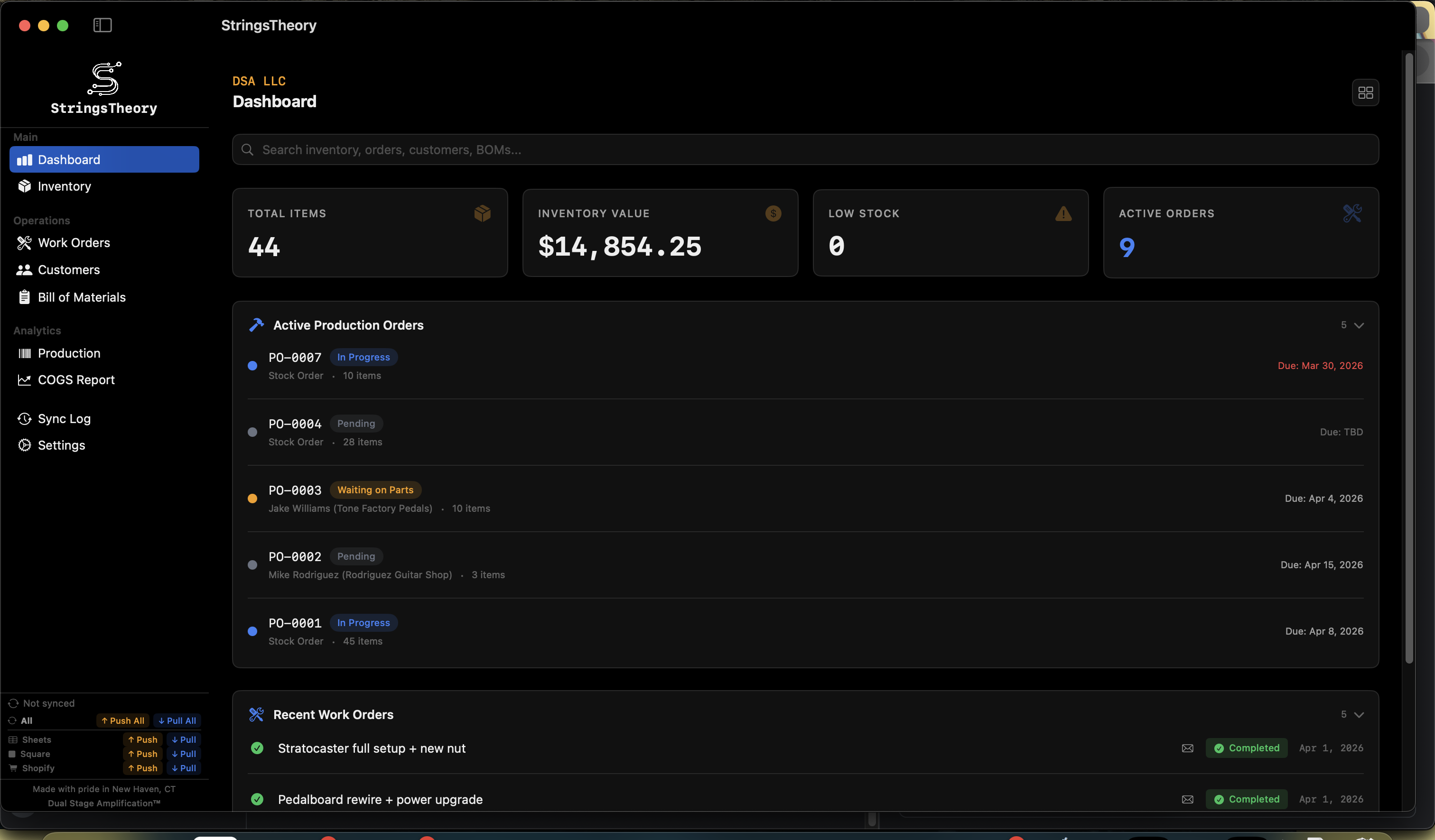
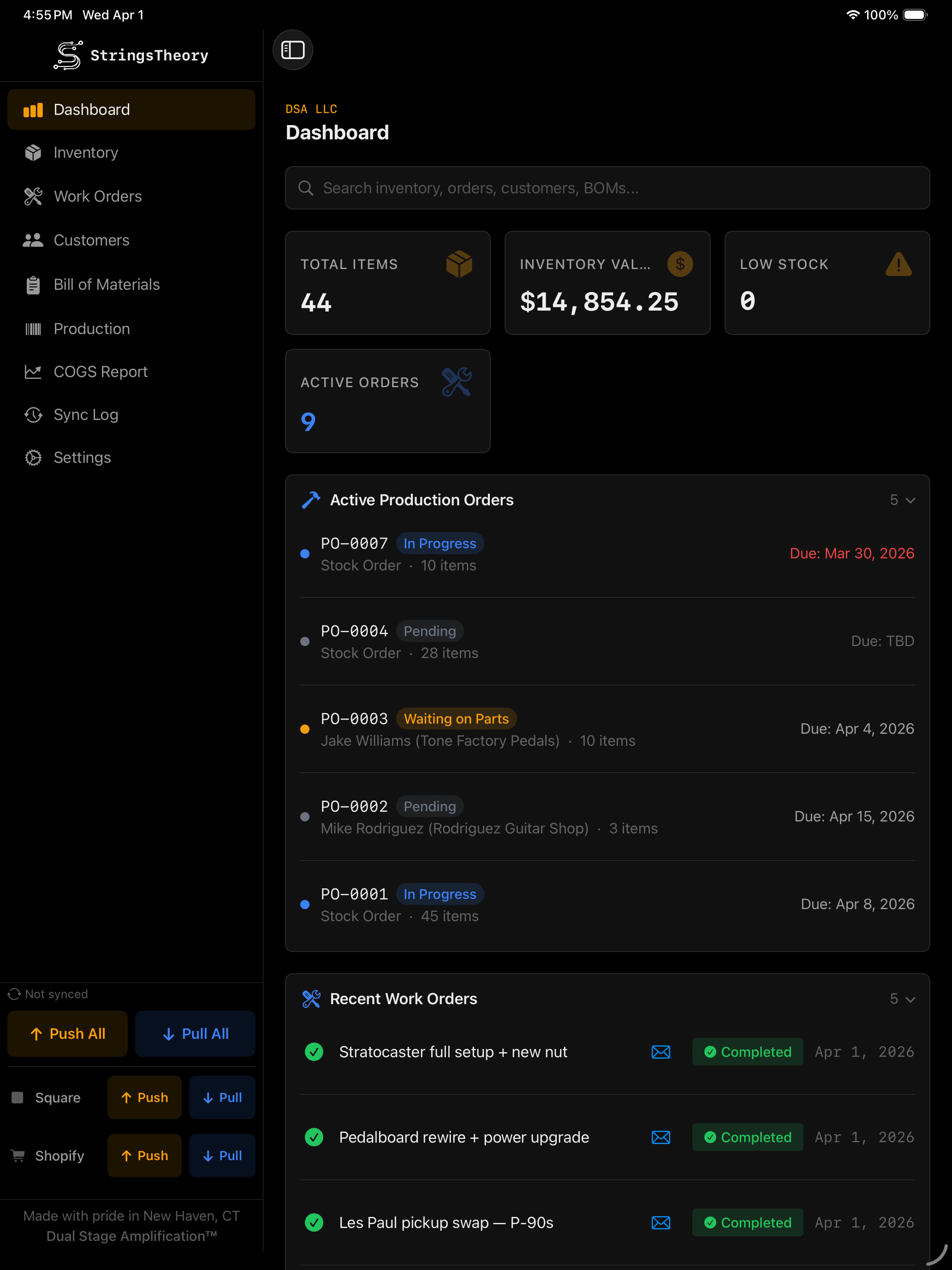
Dashboard
Your shop's pulse at a glance.
Summary cards: Total Items, Inventory Value, Low Stock Alerts, Active Work Orders
Recent work orders with live status badges
Reorder alerts — items below threshold
Active production orders
Global cross-entity search: inventory, work orders, customers, BOM, production orders
StringsTheory Dashboard on Mac StringsTheory Dashboard on iPad
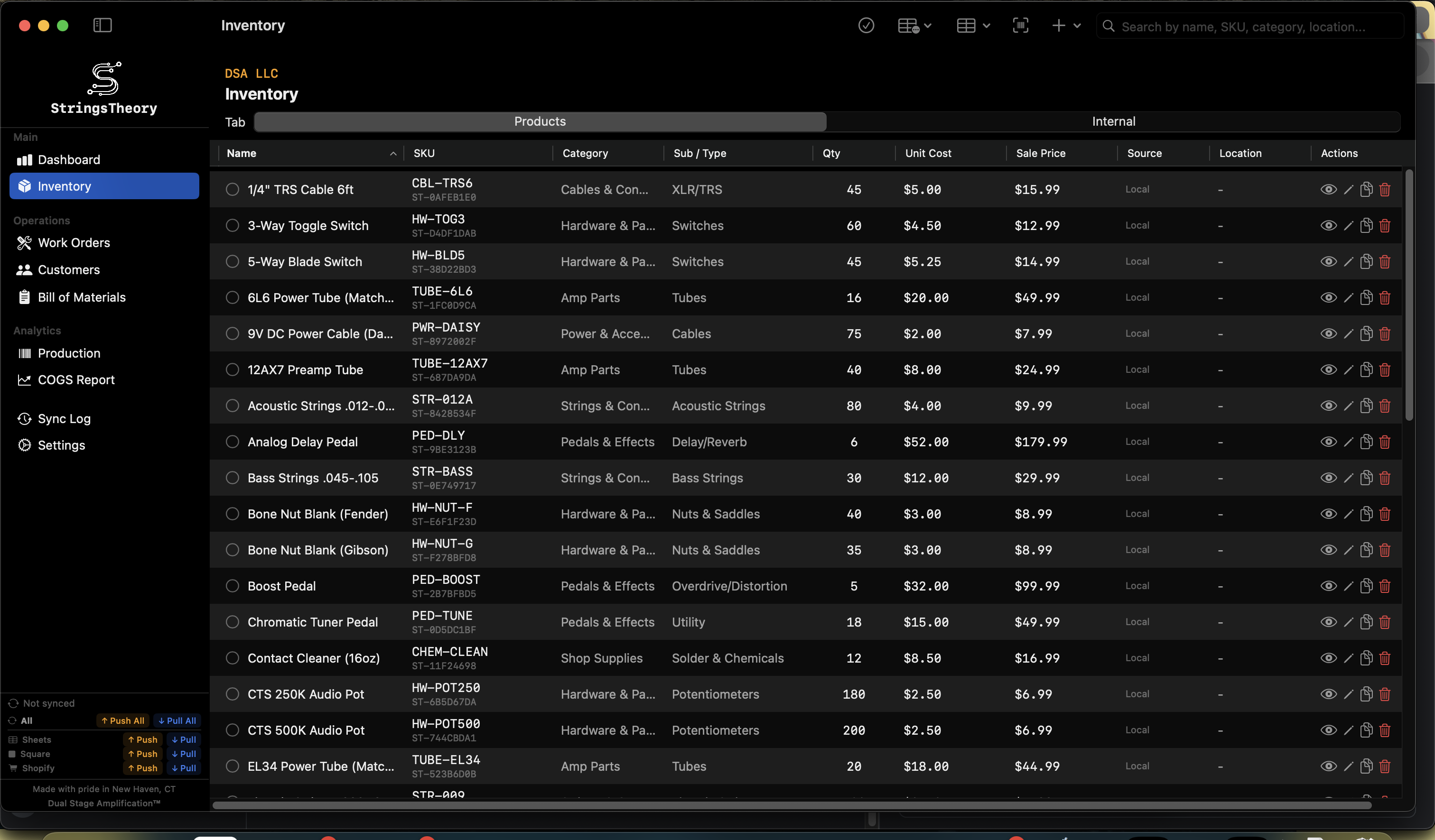
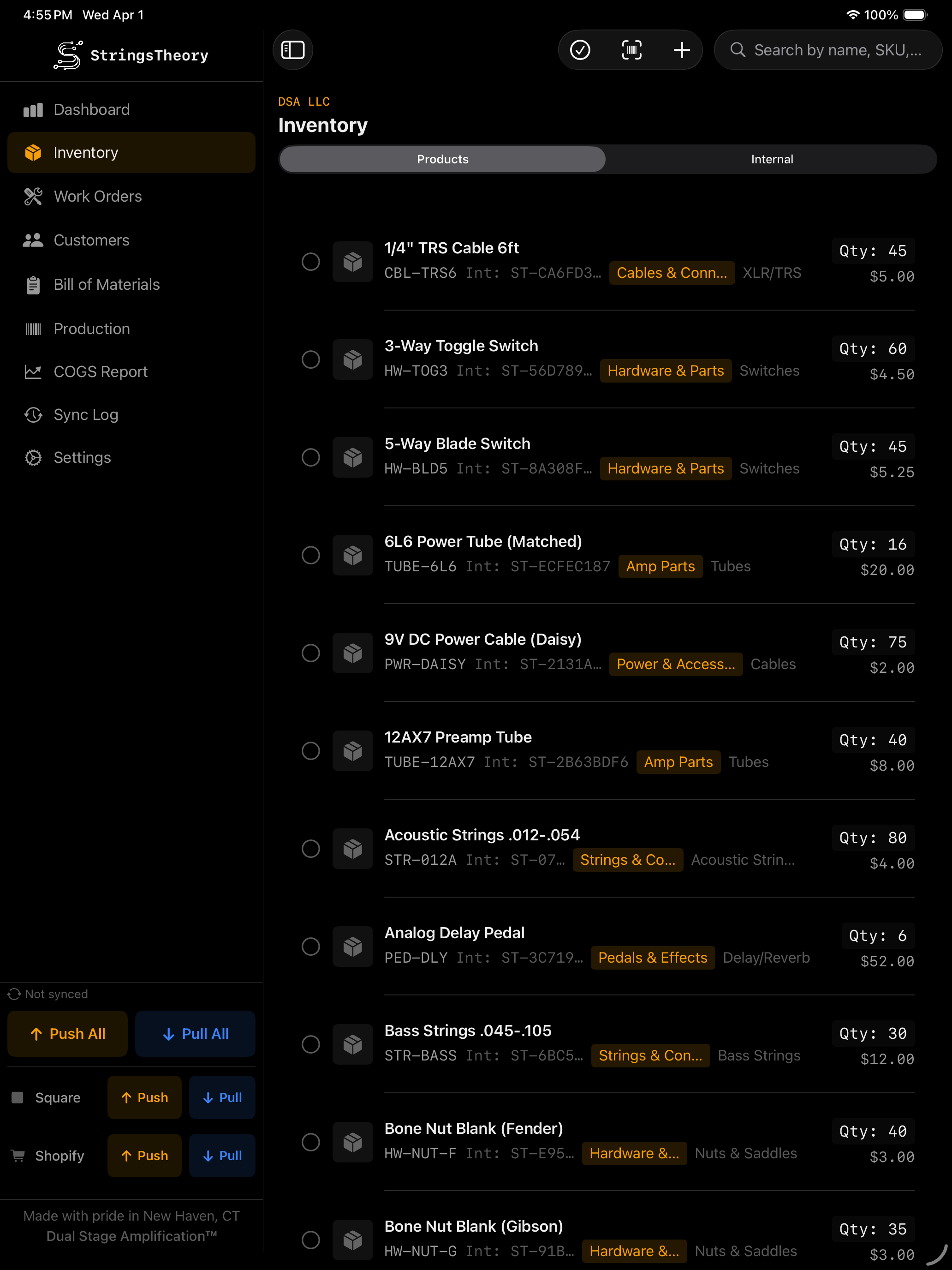
Inventory Management
Complete control over every item on your shelves.
Full item management: name, SKU (auto or custom patterns), internal SKU, barcode, photos
Category / Subcategory / Item Type taxonomy with inline creation
16+ units of measure: each, box, bag, case, roll, spool, pack, pair, set, feet, meters, lbs, kg, oz, custom
Units per package with automatic cost-per-piece calculation
Unit Cost, Sale Price, reorder point, and reorder quantity with visual low-stock alerts
Location tracking and total inventory value calculated in real-time
Backorder detection
Item photos with camera capture or gallery import
Barcode scanning (Code128, QR, UPC) to find or create items
Wholesale item linking — wholesale to retail with auto stock deduction
Component and wholesale item linking
Bulk add items with shared properties
Bulk edit — update category, type, location, reorder point, sale price, or sync flags across multiple items
Built-in barcode scanner (camera on iPad, USB scanner on Mac)
StringsTheory inventory management on Mac StringsTheory inventory management on iPad
Work Orders
From drop-off to pick-up, fully tracked.
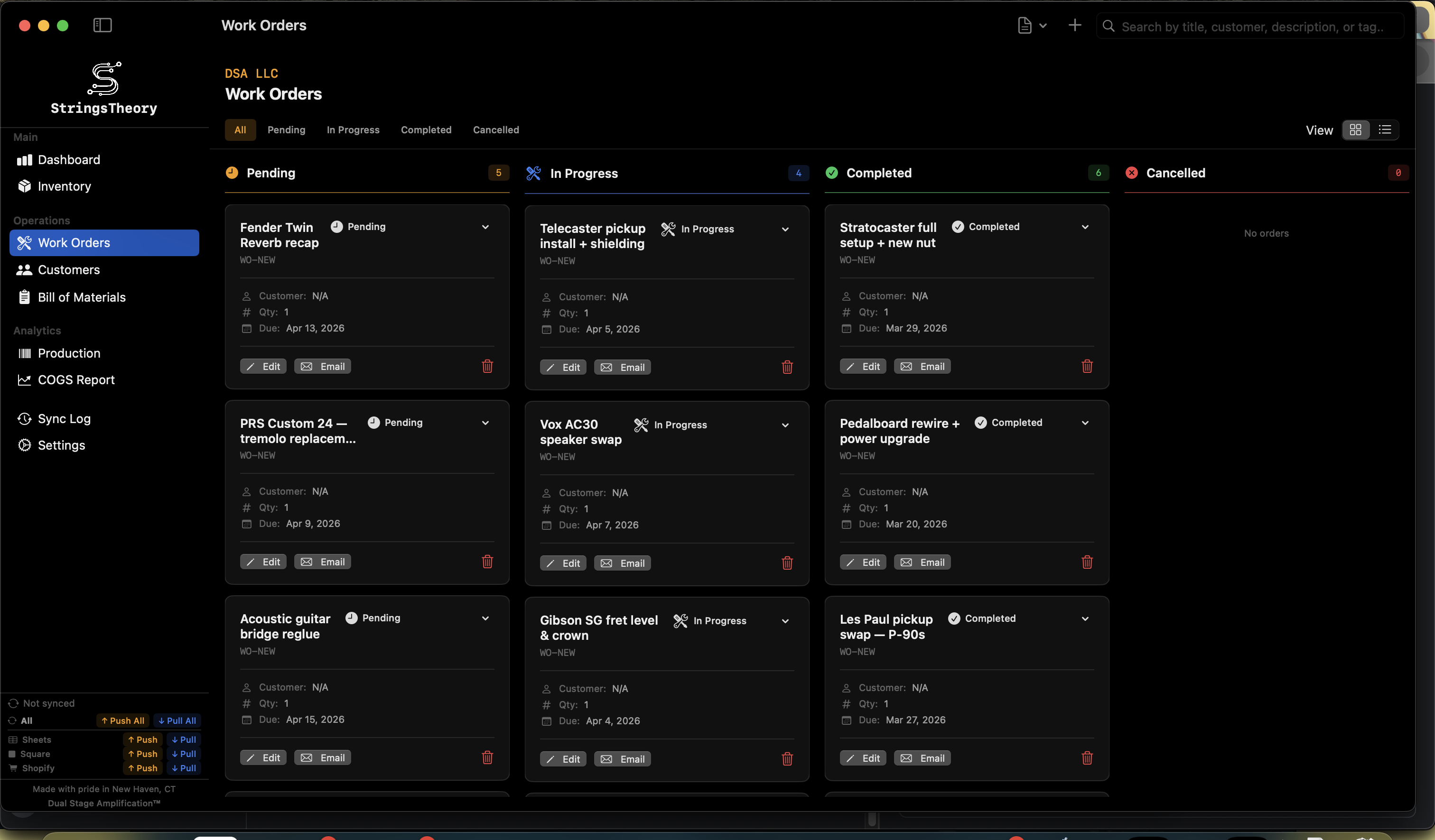
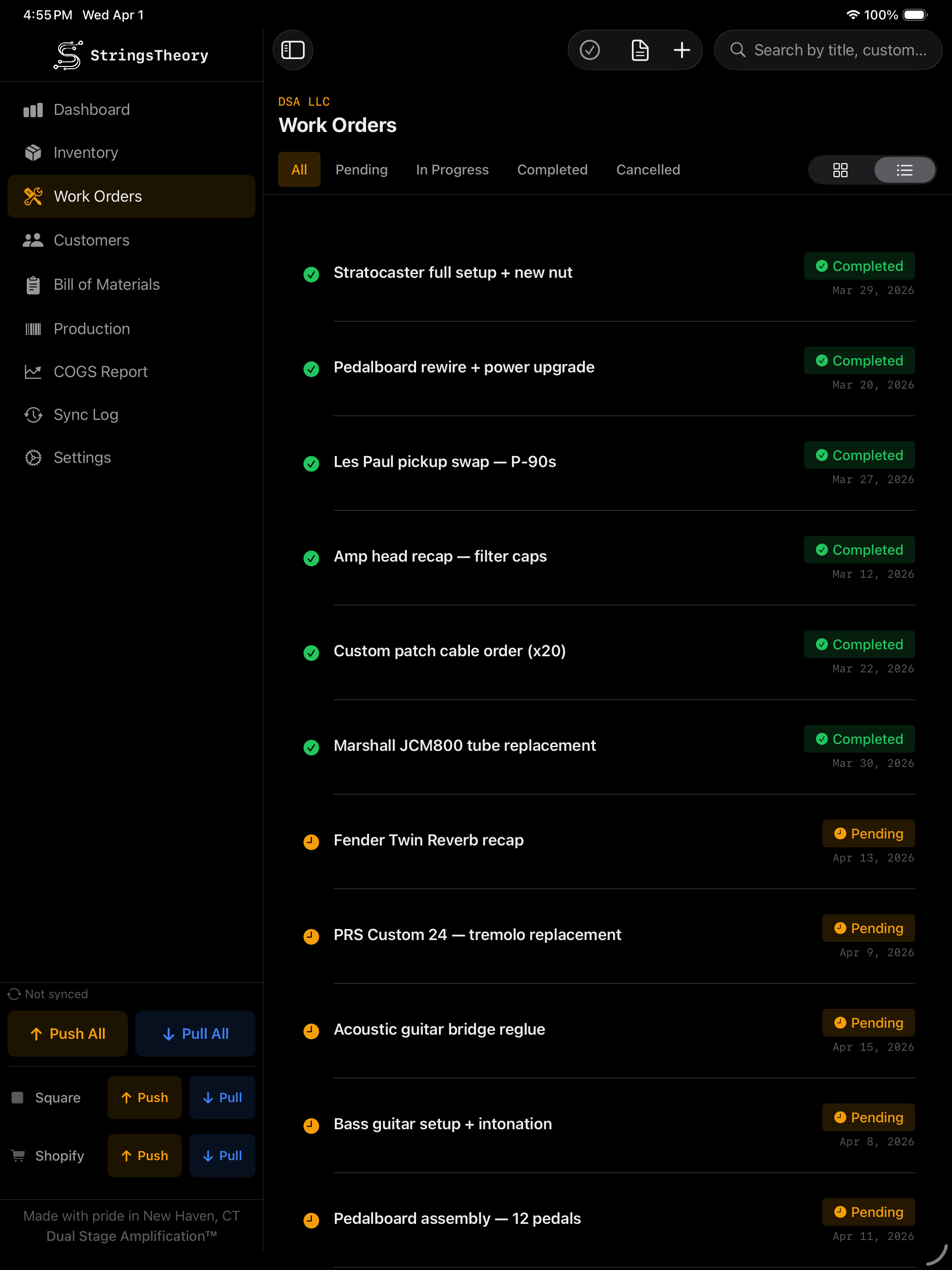
Three view modes: Kanban board, compact list, detailed list
Eight-status workflow: Pending Triage → Pending → Awaiting Parts → In Progress → QC → Ready for Pickup → Completed / Cancelled
Dashboard callouts for Pending Triage and Ready for Pickup — tap to jump to Work Orders pre-filtered to that status
Rich fields: title, description, BOM link, quantity, customer, due date, notes, terms & conditions
Work order templates — pre-configure title, description, checklists, fields, and tags
Apply templates with one tap to speed up intake
isCustomerCommon flag — surface templates on the Customer Intake Kiosk
Customizable checklists with progress tracking per order
Custom fields (text, number, dropdown)
Custom color-coded progress tags
Signature capture (touch on iPad, mouse/trackpad on Mac)
PDF generation with business branding
Email work orders directly to customers with customizable templates
Tag system for categorization and filtering
Search and filter by status, customer, title, or tags
StringsTheory work orders on Mac StringsTheory work orders on iPad
Customer Intake Kiosk
Turn a shared iPad into a self-service drop-off station. New in v1.5.1.
Simple Mode (default) — 4 active steps: You → What's going on? → Details → Sign. A flat list of 4–5 plain-English common services curated by the shop
Power Mode — full Category → Template flow preserved via Settings toggle for shops that want fine-grained customer self-classification
"Other / Not Sure" tile creates a Pending Triage work order so the shop owner can triage it later
"Hand to Customer" button on the Dashboard and Work Orders toolbars launches the kiosk full-screen in one tap
PIN exit gate — kiosk only exits via the owner's PIN, set once in Settings
Tap-anywhere Welcome screen and labeled step indicator (You · Service · Details · Sign)
Customer search with phone-first autocomplete plus explicit "I'm new" path
Optional signature capture with printed name and shop terms-of-service blurb
Auto-reset on inactivity with configurable timeout
Auto-launch on app start for dedicated iPad kiosks
Test Mode preview for setup without writing work orders
Auto-email confirmation to customer on submission
Auto-print repair labels on submit (see Labels & Printing below)
Customers
Keep every client relationship organized.
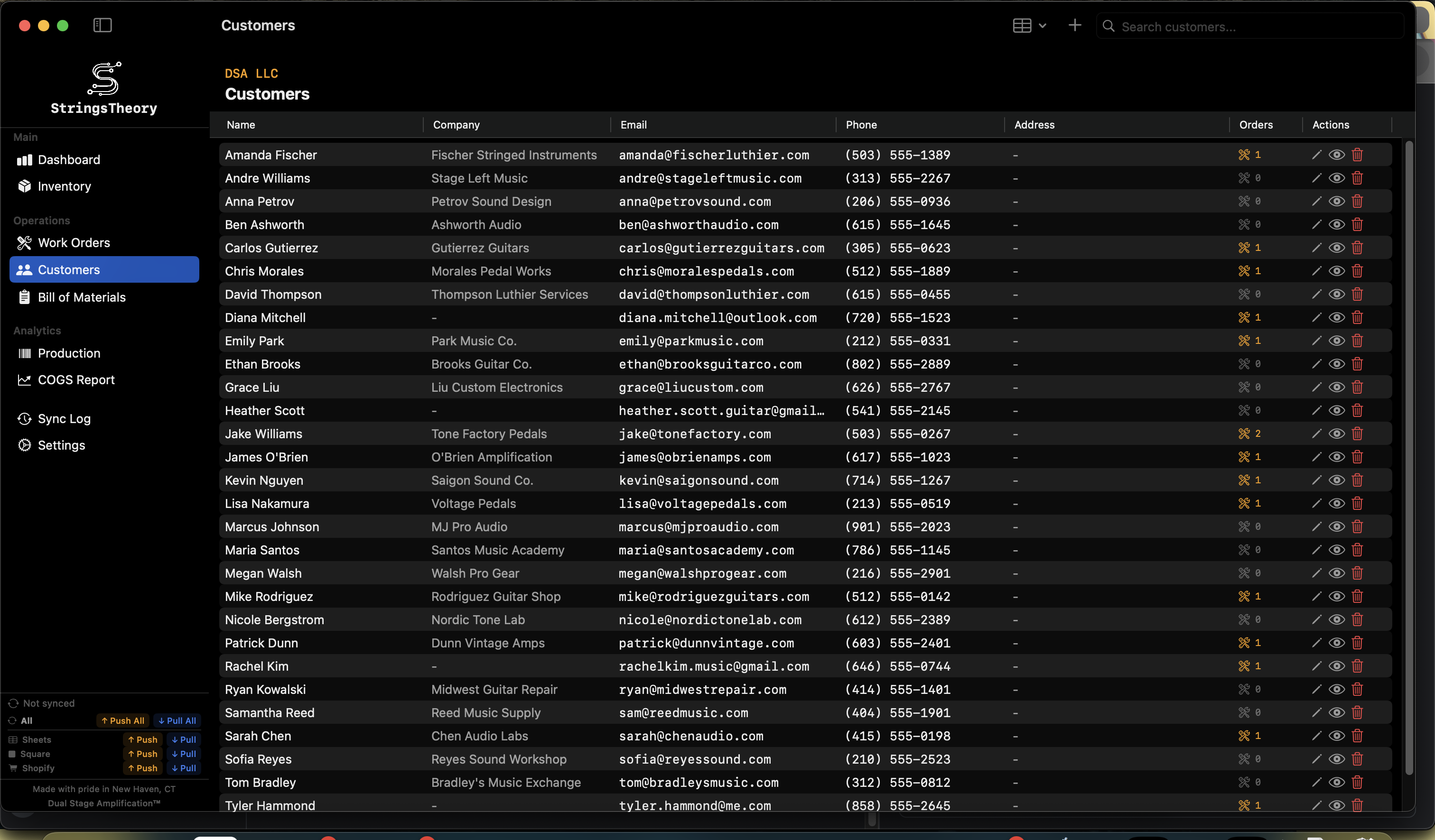
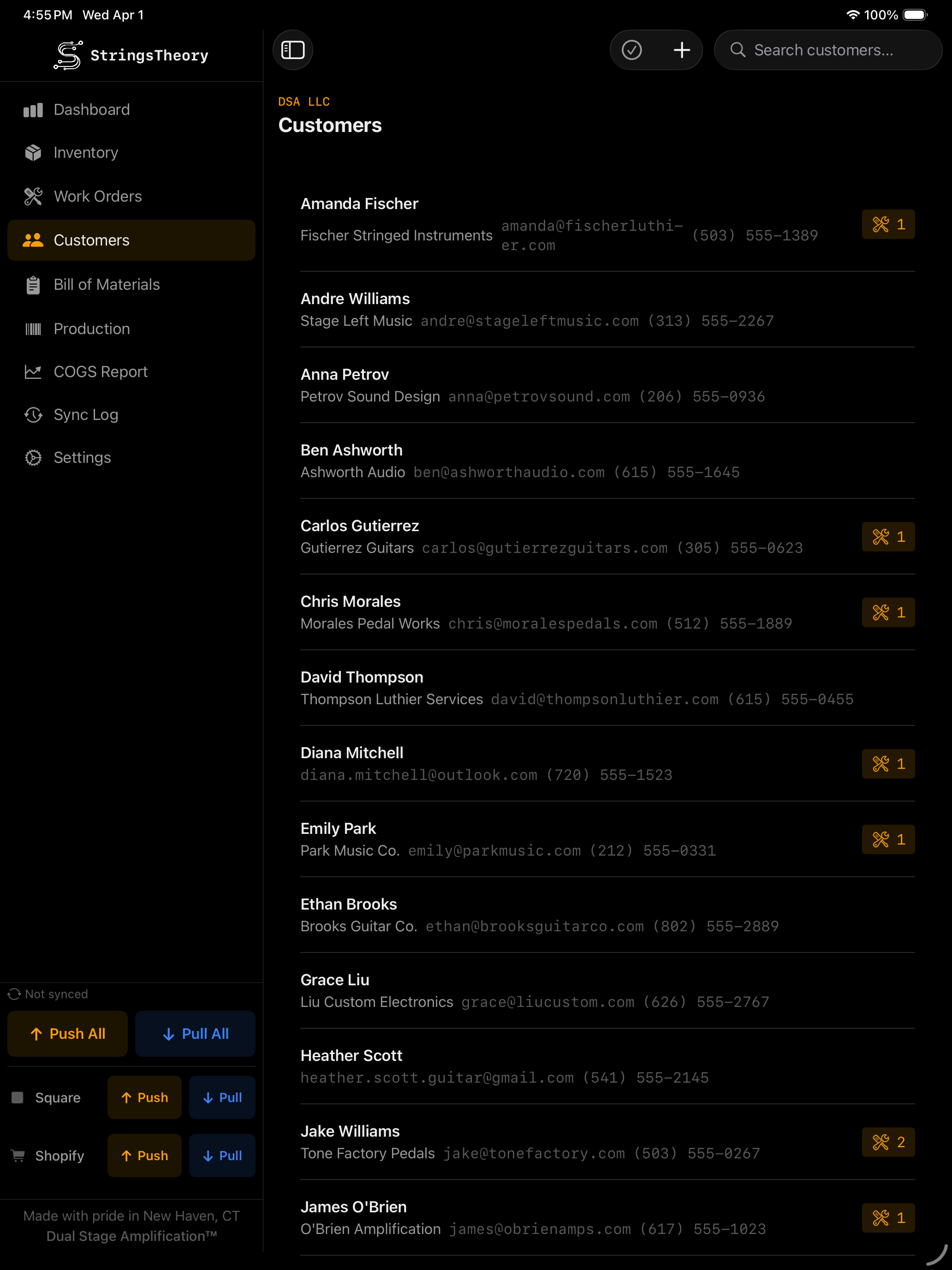
Full customer records: name, email, phone, company, address
Search by any field
Linked to work orders and production orders
Multi-select for bulk actions
CSV import/export
Inline customer creation from work order or production order forms
StringsTheory customers on Mac StringsTheory customers on iPad
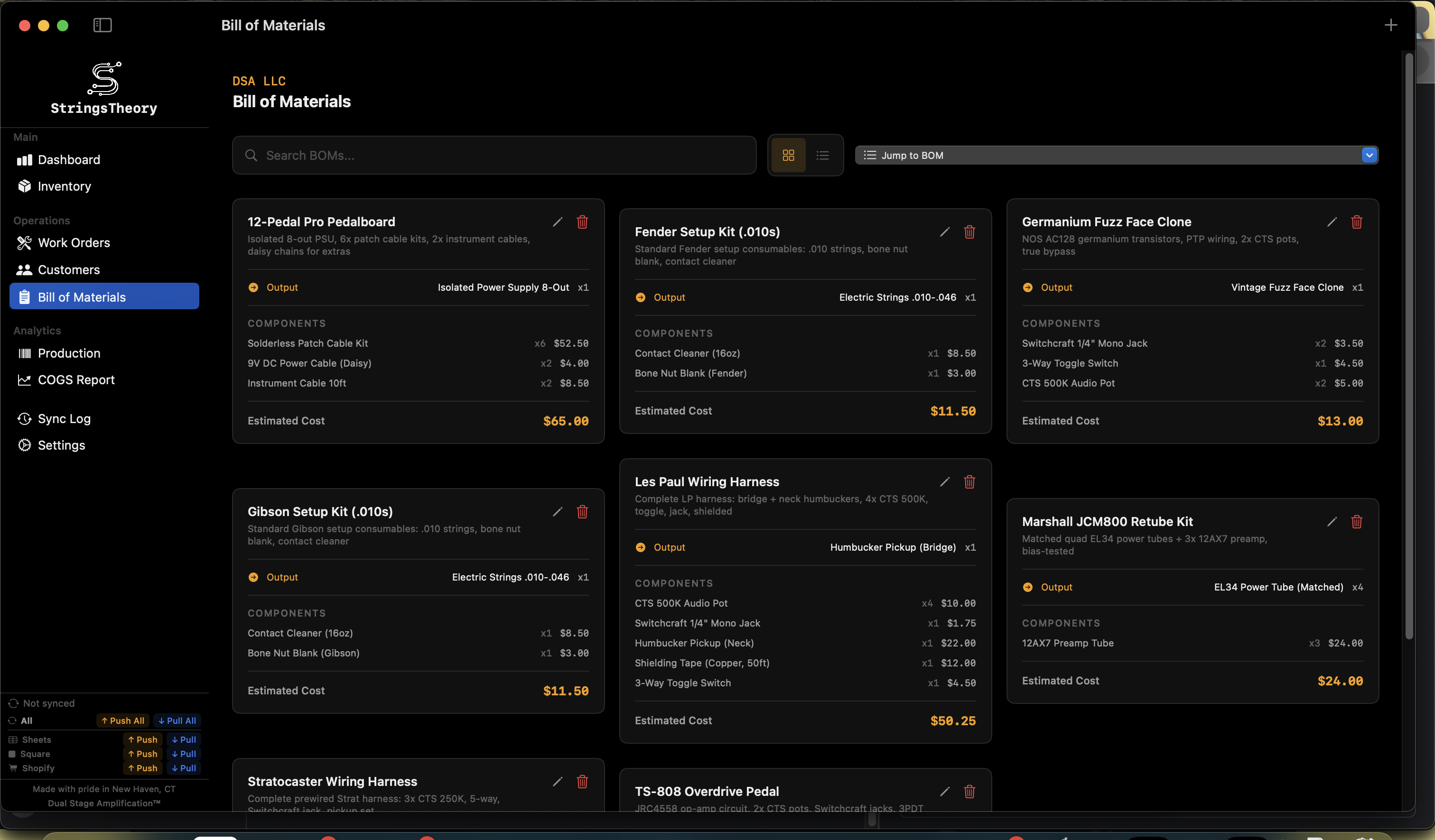
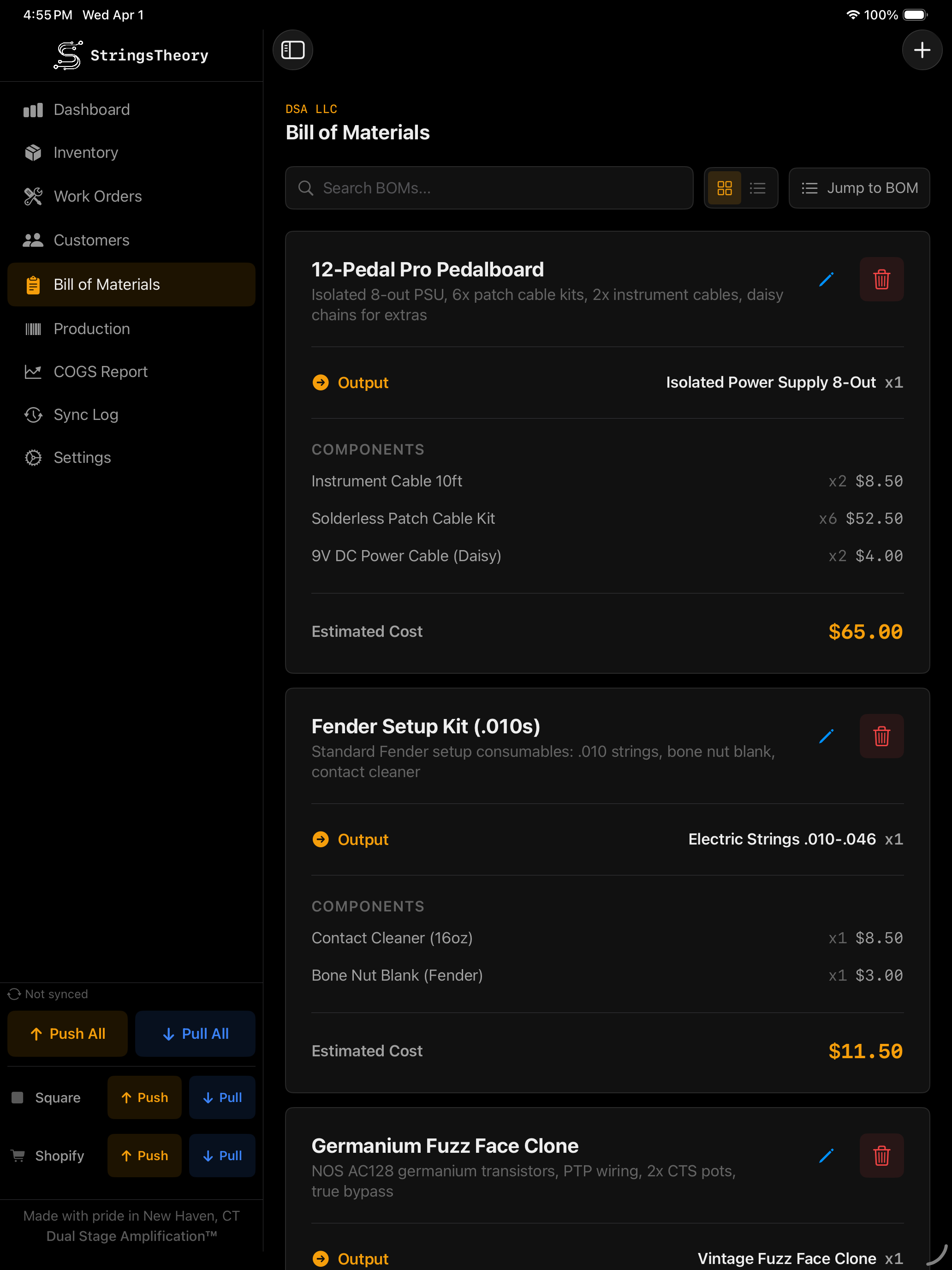
BOM (Bill of Materials)
Know exactly what goes into every build.
Create assemblies with output item, output quantity, and component items
Automatic cost estimation based on component unit costs
Self-reference prevention — output item cannot be a component
Search and filter BOMs
StringsTheory BOM on Mac StringsTheory BOM on iPad
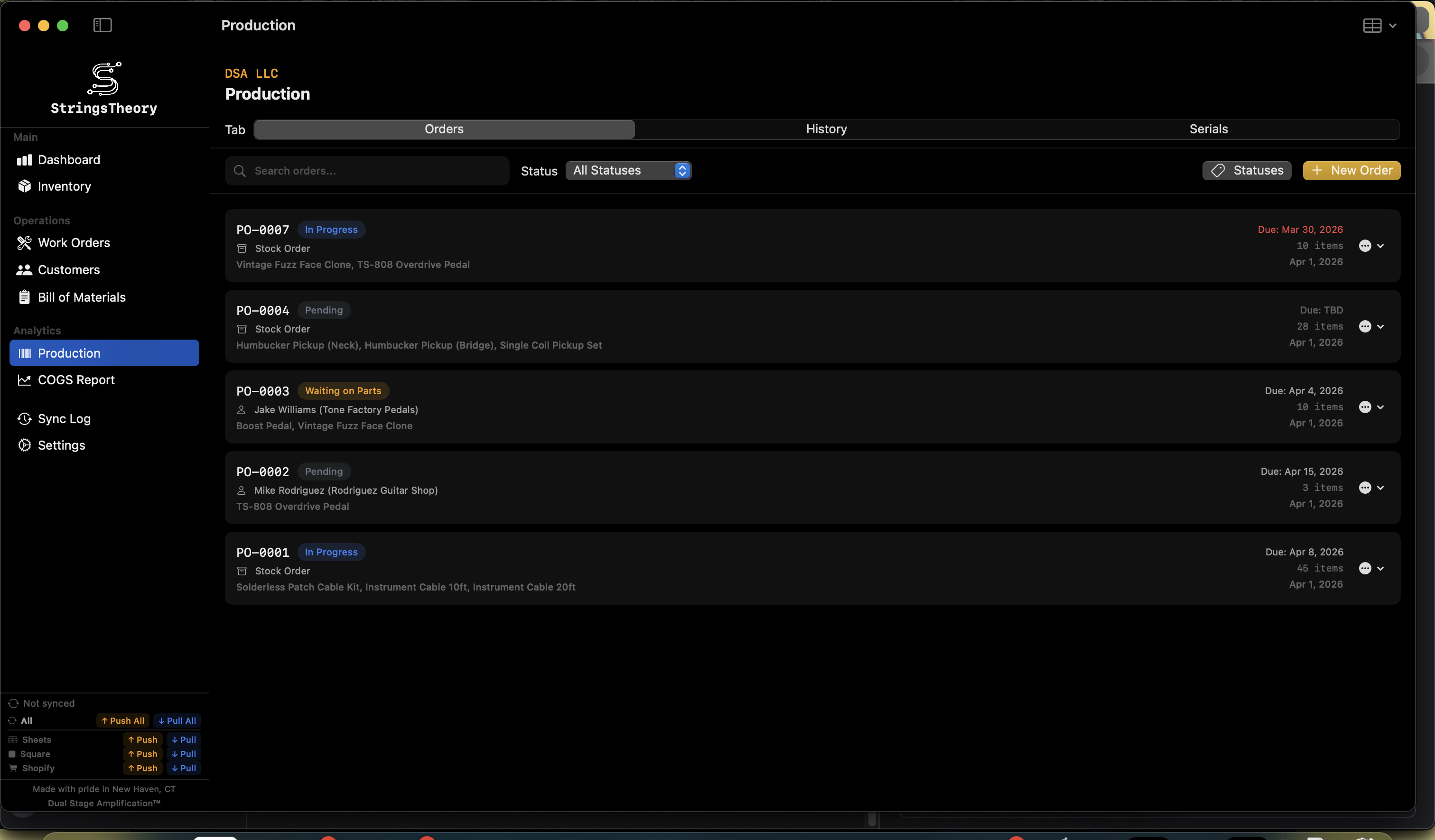
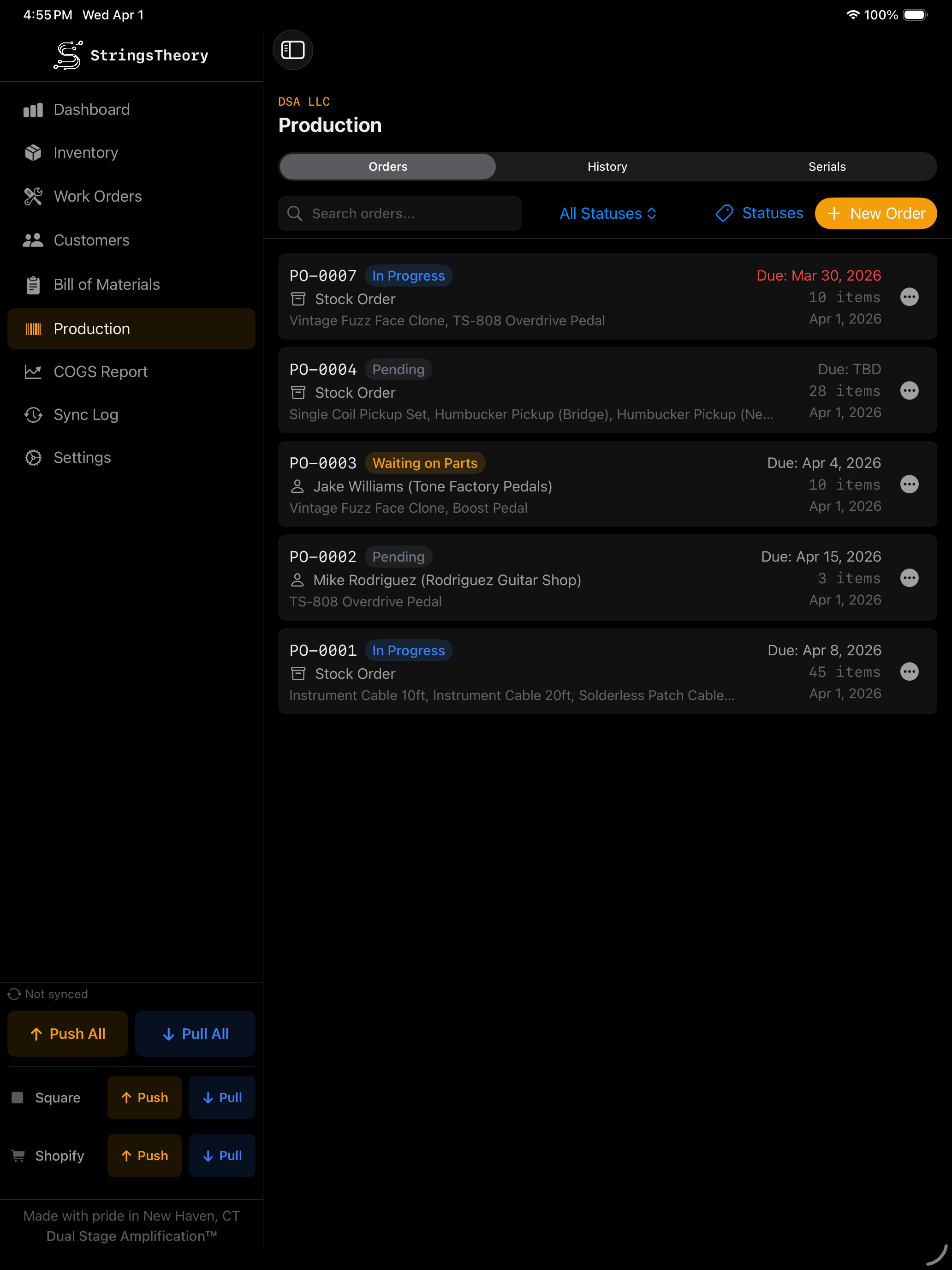
Serialized Items & Production Tracking
Serial-level visibility across everything you build.
Production orders with auto-incrementing PO numbers
Stock orders and customer orders
Line items linked to inventory with quantities
Due date management with overdue highlighting
Custom progress tags with color coding
Serialized unit tracking — serial number, status, manufactured date, revision, color
Unit statuses: Available, Reserved, Consigned, Sold, In Repair, Defective
Dealer and customer assignment per unit
Custom production fields (text, number, date) — define once, track per unit
CSV import/export of serialized units with flexible column matching
Customer resolution during import — auto-match by name or pick from dropdown
StringsTheory production on Mac StringsTheory production on iPad
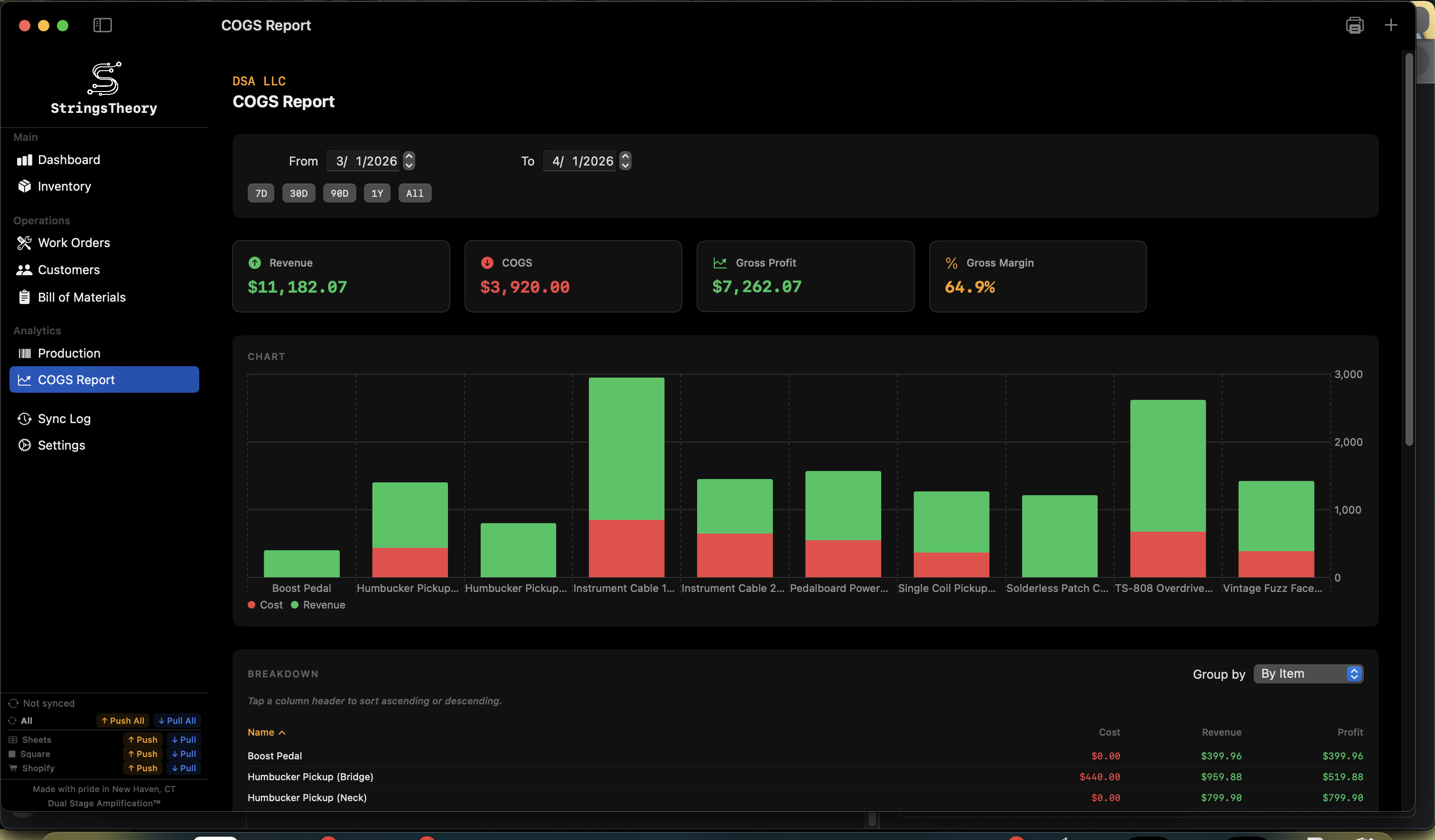
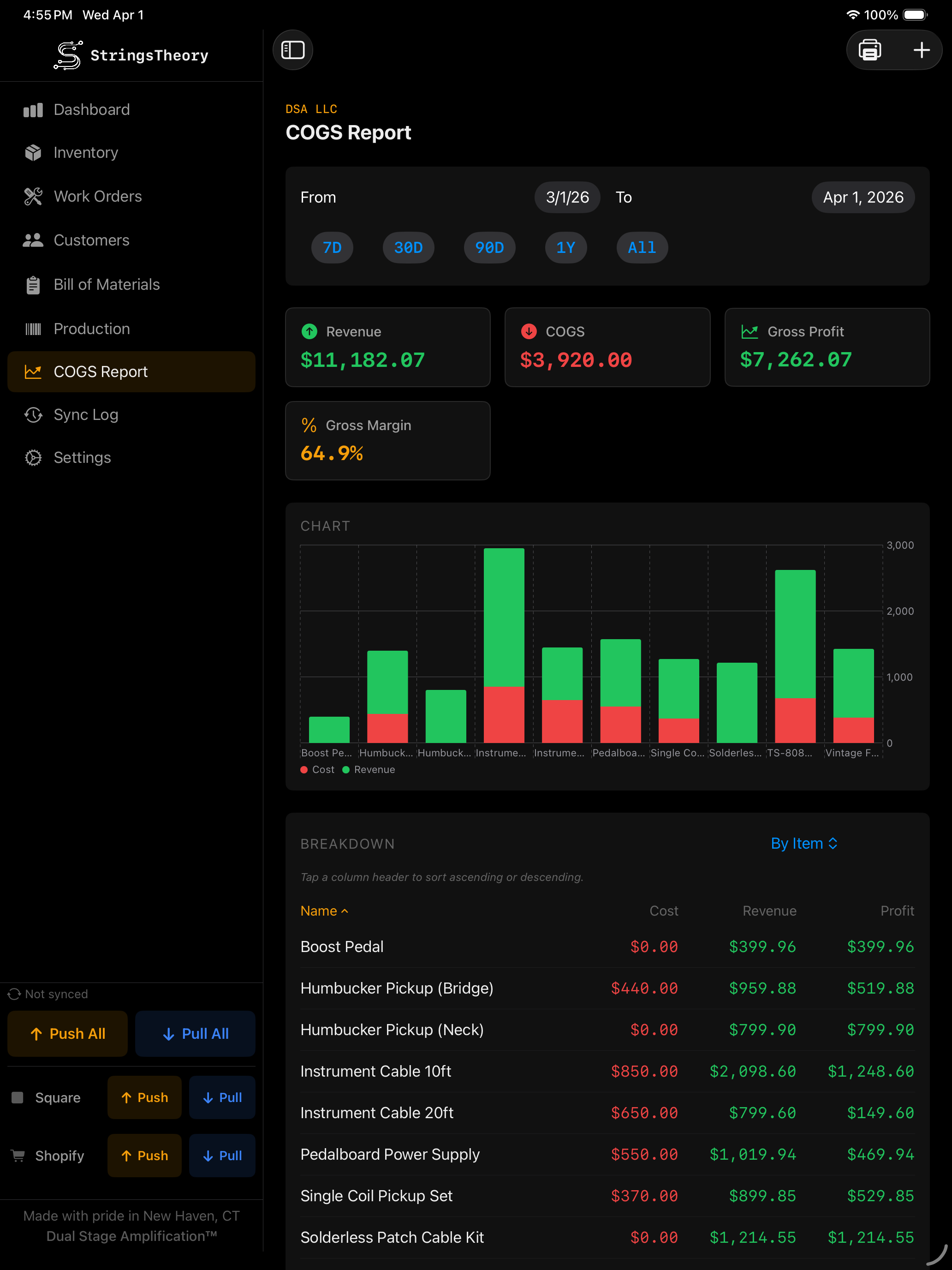
COGS (Cost of Goods Sold) Reports
Real numbers, real margins.
Track purchases, sales, work order usage, and adjustments
Date range filtering (7D, 30D, 90D, 1Y, All)
Revenue, COGS, gross profit, and gross margin calculations
Breakdown by item, type, day, or month
Bar chart visualization — cost vs. revenue per item
Sortable columns for detailed analysis
Exportable transaction data
StringsTheory COGS report on Mac StringsTheory COGS report on iPad
Label Design & Printing
Design, preview, and print labels your way — from a single barcode to a full batch run.
Visual drag-and-drop label designer with element rotation
60+ pre-built label templates (Dymo, Brother, custom sizes)
Seven built-in repair label designs (NEW in v1.5.1): Repair Hangtag, Case Sticker, Customer Receipt, Parts Bag, Status Sticker, QC Pass, Ready for Pickup — all editable in the Label Designer
Design elements: Text, Barcode (Code128/UPC-A/EAN-13), QR Code, Images, Lines, Rectangles
25+ merge fields for dynamic content — including v1.5.1 additions: customer_phone_last4, customer_email, date_promised, service_summary
Import .dymo files from Dymo Label software
Production labels — auto-queue labels for every new serialized unit
Auto-print on customer intake submit (NEW in v1.5.1) — adaptive routing across three targets (Print Server / Local Printer / None) and three output modes (Auto / Native / Sheet), per-design copies and enable toggles, fail-soft to Print Queue
Multi-up sheet rendering (NEW in v1.5.1) — lay multiple thermal labels on a letter or A4 sheet with crop guides, for shops without a thermal printer
Dual-label support for front/back printing
Label image library
Print preview with live rendering
Print to system printer or PDF
Dedicated print queue with entries grouped by printer
Print status tracking with failure visibility and error messages
Bulk "Print All" per printer
Network print server support with Bonjour (mDNS) discovery
Printer role assignment: production, shipping, returns, inventory
Label size validation per printer brand (Dymo, Brother, Zebra, Rollo)
Batch job submission to network printers
Bulk Operations & CSV Import/Export
Move data in and out fast — with validation every step of the way.
Multi-item selection (Cmd/Shift+Click on macOS, tap on iPad)
Bulk edit: category, location, reorder point, integration sync toggles
Bulk add items with shared properties
Bulk delete with confirmation dialogs
Bulk status changes for work orders and production units
CSV template generation for any data type
Flexible import with validation preview and column mapping
Round-trip compatible: export → edit in Excel → re-import
Inventory CSV with all item fields
Production CSV with SKU, serial number, status, color, dates, dealer, customer, revision, custom fields
Customer CSV import/export
Work order CSV import via templates
Auto-create categories and item types from imported data
Customer resolution UI for production imports: auto-match, pick from list, or keep as text
Integrations
Connect your tools, automate the grunt work.
Square POS: OAuth with PKCE, two-way inventory sync, retry with exponential backoff
Square POS: Location-specific sync, catalog matching by SKU, variation preservation
Square POS: Field sync options (name, description, price, quantity), exclusion list
Shopify: OAuth with HMAC validation, product and variant synchronization
Shopify: Fulfillment location selection, two-way inventory quantities
Google Sheets: Push inventory and serial data, delta-based quantity tracking
Google Sheets: Per-item worksheets with serial unit details and custom production fields
Google Sheets: Import preview before applying changes
Configurable auto-sync intervals per integration (5, 15, 30, 60 min)
Per-item exclusion lists and field sync options
Cloud Sync & Multi-Device
Work anywhere — online or off. Your data follows you.
Bi-directional cloud sync across Mac and iPad Annual
Entity-level selective sync — choose what syncs
Tier-ordered sync — parent entities always sync before children
Manual conflict resolution with visual diff viewer
Conflict persistence — unresolved conflicts survive across sync cycles
Offline queue with automatic retry on reconnection
Delta tracking via JSON snapshots
Full sync log with device and integration filtering
Web app companion at app.stringstheoryinv.com
Team & Multi-User
Bring your whole team on board with role-based access. Annual
Email/password and Google OAuth login
4 roles: Admin, Manager, User, Viewer
Invite system with token-based links
User management: create, activate/deactivate, change roles, delete
Forgot password and change password flows
Server-pushed announcement banners
Backup & Restore
Your data, protected and portable.
Full system backup including email templates
Selective backup by data type
Local file export
Restore coordination — pauses sync during restore
Factory reset with confirmation
Email System
Keep customers in the loop automatically.
Customizable email templates with 19 merge fields
Auto-triggers on work order creation, status change, and completion
Delivery via Resend (cloud) or local mail client
PDF attachment support
HTML-sanitized merge fields (XSS prevention)
Rate limiting with toast feedback
Email template backup and restore
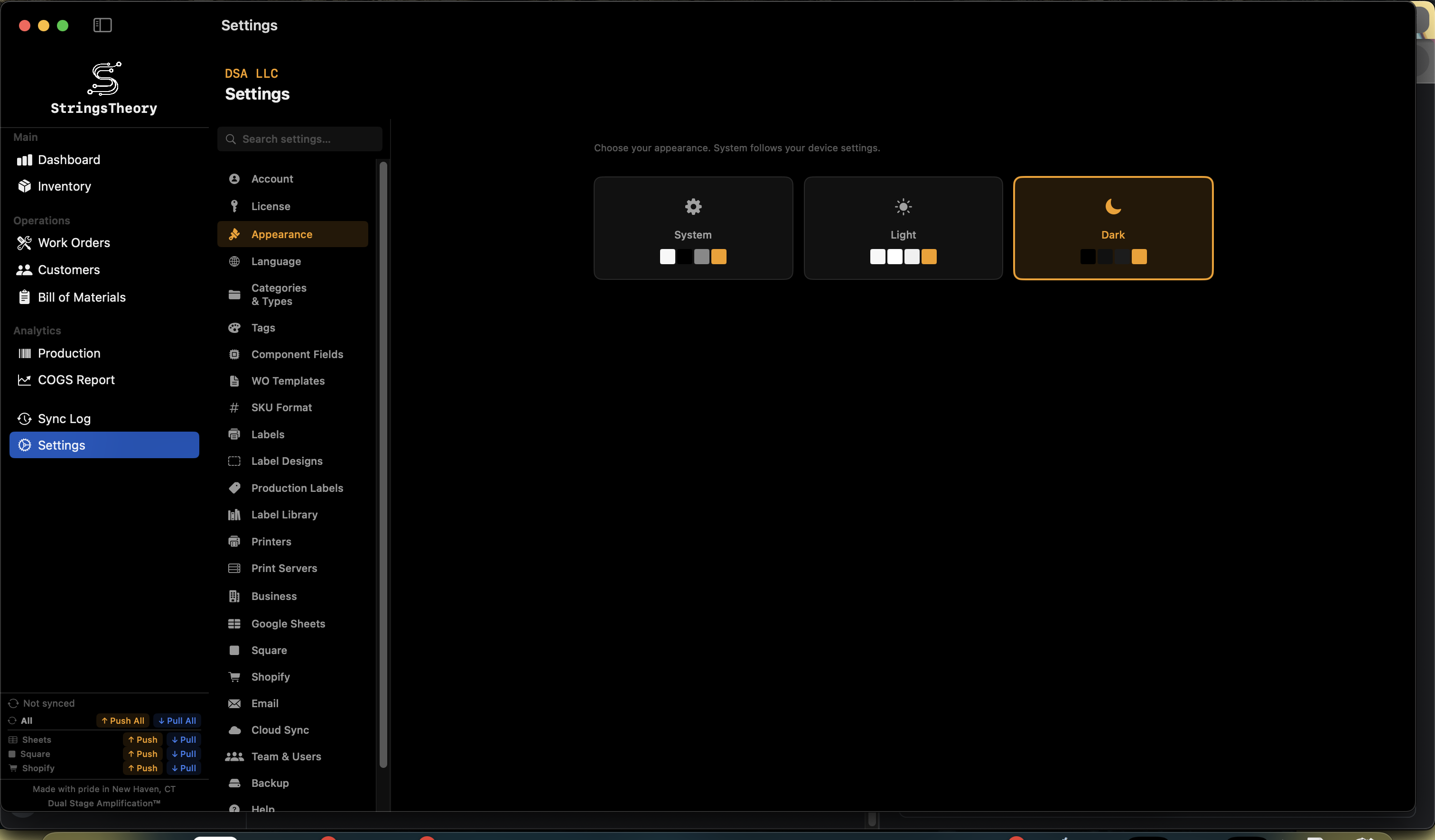
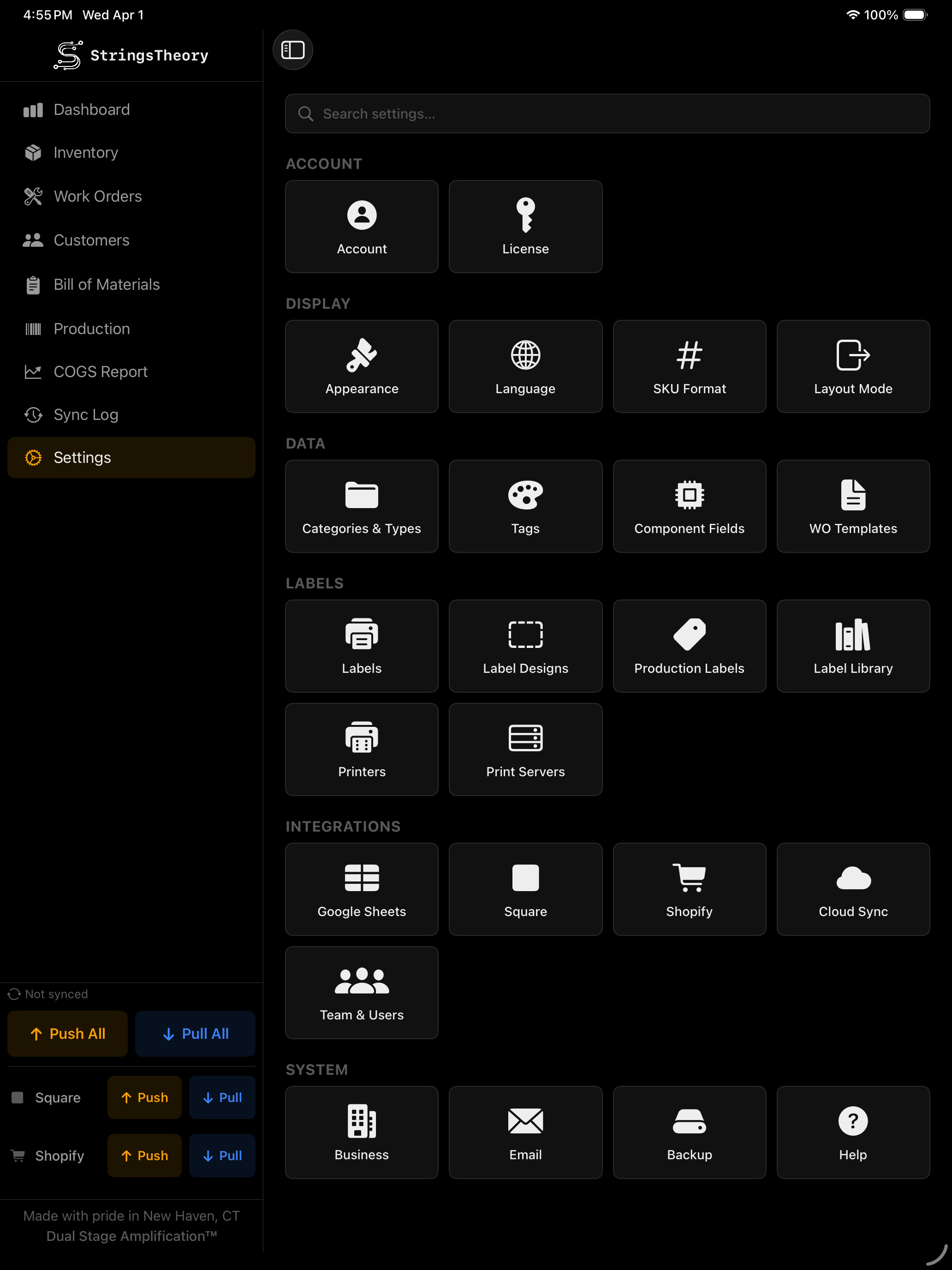
Settings & Configuration
Configure everything to match how your shop works.
Category / Subcategory / Item Type taxonomy management
Label templates and label designer
Work order templates with checklists and custom fields
Progress tag management with color picker
Production field management with drag-and-drop reorder
Printer assignments to label templates
Print server configuration
Business profile: name, DBA, address, phone, email, website, logo, currency
Category, subcategory, and item type management
Custom component fields
Progress tag management with color coding
Language selection (English, Spanish, French, German, Japanese, Italian)
Light/dark theme with system default option
Compact vs. comfortable view mode (Mac)
StringsTheory settings on Mac StringsTheory settings on iPad
Accessibility
Built so every shop hand can use it — keyboard, VoiceOver, Reduce Motion, Dynamic Type. New in v1.5.1.
Required-field markers (*) on Inventory, Work Order, and Intake forms with VoiceOver "required" hints
Reduce-Motion respected across all 28 animation sites in the app — toasts, sheet transitions, multi-select toggles, and progress animations become instant when Reduce Motion is on
VoiceOver labels on Dashboard stat cards ("Total Items: N") and global search results, with button traits where appropriate
Dynamic Type support on Help articles and the iPad sidebar navigation
44pt touch targets on iPad across all primary actions
App display name "Inventory" on the iPad home screen, macOS Dock, and Spotlight — disambiguates from other Dual Stage apps
Security
Your data stays yours. No trackers, no telemetry.
Row-Level Security on all database tables
Cross-tenant isolation hardened on all child entities
PKCE OAuth for third-party integrations
Rate limiting on authentication and sync endpoints
HSTS security headers
Keychain storage for all credentials and tokens
Email merge field HTML sanitization (XSS prevention)
No advertising trackers, behavioral analytics, or third-party SDKs
Platform Support & Internationalization
Native apps, six languages, and automatic updates.
macOS: Native table views, keyboard shortcuts, menu bar integration, Sparkle auto-updates
macOS: USB barcode scanner support, system printer discovery
iPad: Touch-optimized interface, camera barcode scanning, adaptive layouts, 44pt touch targets
Web: Companion web app accessible from any browser
6 languages: English, Spanish, French, German, Japanese, Italian
Light/dark theme with system default option
Compact vs. comfortable view mode (Mac)

Ready to run a tighter shop?

Get set up in minutes. 14-day free trial — no credit card required during the trial period.